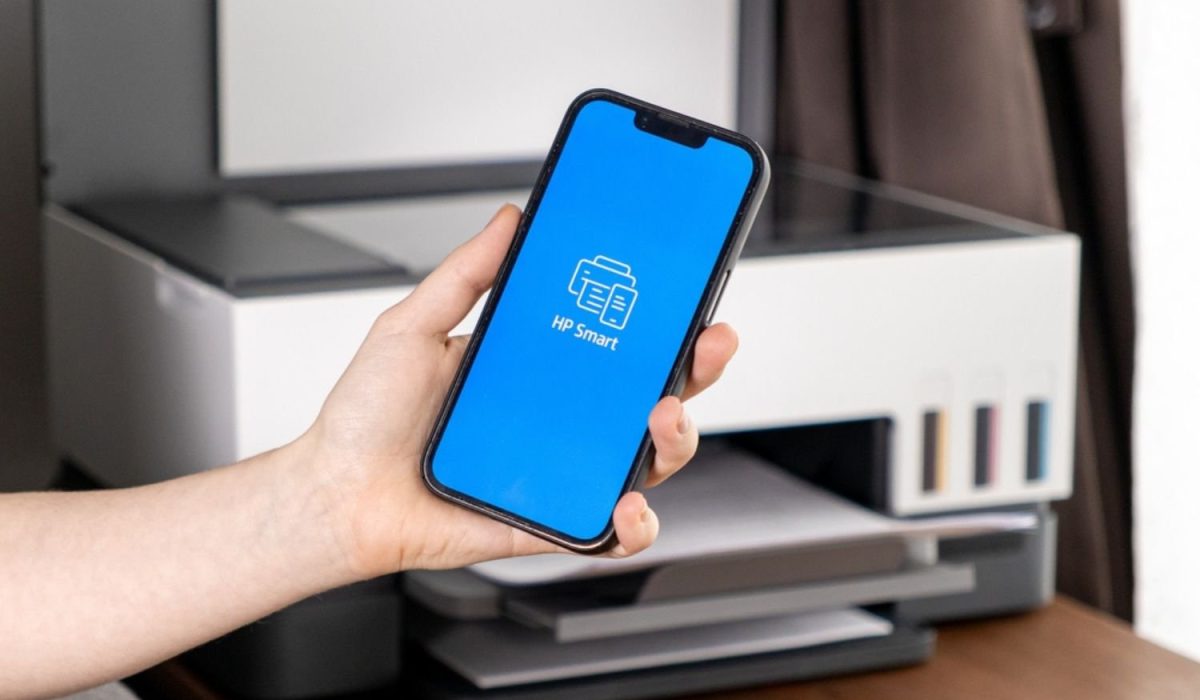
Modern office environments rely on flexible technology that supports employees working across various locations. Implementing HP mobile printing allows staff to output documents directly from smartphones, tablets, or laptops. Consequently, this capability helps hybrid teams maintain high productivity without returning to traditional desktop stations.
Connecting mobile devices to office hardware streamlines business operations and reduces unnecessary document transfers. In addition, employees can send urgent files to queue locations from any location. Eliminating manual file conversions saves valuable time during fast-paced business operations.
Streamlining Hybrid Workflows With HP Mobile Printing
Flexible work models demand printing solutions that accommodate workers moving between home and corporate settings. Using HP mobile printing helps staff quickly output contracts from native mobile applications. As a result, business tasks proceed smoothly while minimizing technical friction for mobile employees.
Meanwhile, dynamic workspaces must handle increasing print volume from various remote and local devices. Direct printing through HP mobile printing removes cumbersome steps like emailing files to desktops. Optimizing mobile printing solutions for remote and hybrid workforces helps managers structure their infrastructure for maximum productivity.
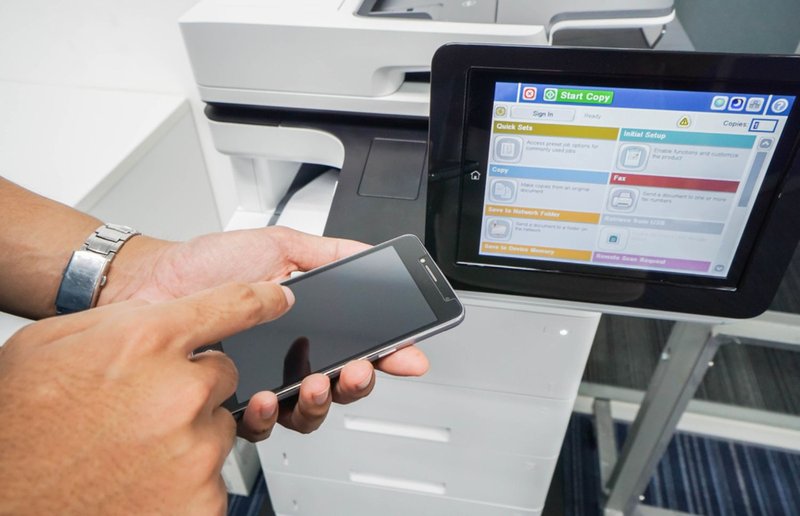
In practice, user interfaces on mobile platforms simplify paper tray selection and print finishing options. Teams maintain continuous momentum because document tasks take seconds rather than several minutes. Reducing unnecessary computing steps keeps employees focused on primary core business responsibilities.
Enhancing Workplace Productivity and Accessibility
Streamlined printing routines prevent operational bottlenecks during high-volume office work cycles. Wireless document transmission requires robust security protocols to prevent unauthorized access to corporate data. Integrating HP mobile printing features ensures confidential documents wait in the print queue.
Network administrators can assign specific access permissions based on employee roles. Restricting unauthorized device access protects sensitive company information from potential external security threats. Implementing robust mobile printing solutions and data security controls protects confidential information across all endpoints.
Ultimately, strategic security policies protect corporate data across all connected wireless printing endpoints. Combining wireless capabilities with managed print services gives organizations complete visibility over document infrastructure. In turn, centralized tracking software monitors mobile usage to control unexpected paper and toner expenses.
Essential Features of Modern HP Mobile Printing
Deploying mobile solutions requires understanding core features that enable secure and efficient output. Using wireless document submission tools streamlines operations while protecting sensitive corporate network infrastructure. Strategic device integration helps organizations build balanced document management workflows across all departments.
The following core capabilities allow modern organizations to optimize their mobile print environment:
- Native mobile support enables instant connection to local network office hardware systems.
- Cloud routing allows secure job submission from remote off-site worker locations.
- Pull printing holds documents until users authenticate at the device.
- Encrypted data transfers protect sensitive corporate information over wireless network connections.
- Universal driver alignment ensures consistent output quality across various connected hardware models.
Mobile capabilities transform handheld smartphones into efficient document submission tools for staff. Proper configuration of HP mobile printing ensures complete operational reliability across your workplace.
Protecting Critical Business Data and Network Security
Optimizing enterprise fleets requires balancing flexible access with necessary corporate printing network restrictions. For example, setting up remote job submission allows administrators to restrict color access for jobs. Companies lower operational expenses while providing convenient printing tools for staff.
Managed environments ensure high equipment uptime through proactive maintenance and automated supply fulfillment. Deploying HP mobile printing workflows requires correct network configurations, security protocols, and support. Leveraging modern cloud printing solutions gives modern enterprises unprecedented document management flexibility and scalability.
Besides equipment selection, professional service providers manage firmware updates and resolve connectivity issues. Fleet management experts align printing technology with broader digital transformation operational business goals. Thus, comprehensive support keeps office hardware running without overburdening internal IT departments.
Integrating HP Mobile Printing Into Managed Environments
Professional assistance ensures your mobile printing infrastructure remains secure, efficient, and cost-effective. Connecting wireless print capabilities into broader managed print frameworks enhances security and tracking capability. Working with experienced technicians keeps hardware reliable while reducing costly office equipment downtime.
Tailored managed print services allow companies to control expenses and streamline business workflows. Experienced consultants ensure seamless integration when configuring remote submission options across dynamic fleets. Modern organizations need reliable technical partners to keep complex printing hardware operating smoothly.

Comprehensive service agreements prevent unexpected repair costs while maintaining high-quality output standards. Technical experts deliver fast response times to resolve hardware problems before workflows stop. In addition, experienced consultants evaluate existing hardware to create cost-effective upgrades for growing enterprise fleets.
Practical Steps for Implementing Mobile Printing Workflows
Integrating mobile print solutions requires clear planning to ensure network reliability and data safety. Adopting HP mobile printing within existing infrastructure helps organizations avoid common connectivity bottlenecks. Following clear instructions on how to connect a phone to a printer simplifies initial setup for office employees.
These essential steps guide businesses through building a secure mobile print environment:
- Audit existing network infrastructure to identify all compatible mobile printing equipment options.
- Establish strict user authentication protocols to secure sensitive wireless document transmission workflows.
- Configure standardized mobile print drivers across all employee devices for uniform output.
- Train staff members on proper mobile submission procedures to prevent unnecessary print waste.
- Monitor fleet usage metrics regularly to optimize supply levels and control output costs.
Following structured deployment guidelines ensures successful integration without interrupting business productivity goals. Deploying these workflow solutions helps companies improve operational efficiency across all teams.
Professional Managed Print Support for Business Growth
Modern enterprise environments depend on consistent print uptime to maintain operational business velocity. Partnering with seasoned service technicians protects your hardware investment and optimizes ongoing output costs. Professional print management transforms complex hardware fleets into predictable and secure document centers.
On-Site LaserMedic helps enterprises integrate HP mobile printing into secure managed print environments. Dedicated technicians provide complete fleet maintenance and reliable ongoing support for your organization. Connect with On-Site LaserMedic today to build a secure and dependable print infrastructure.